How to Purchase Mechanical Keyboards on a Budget
Mechanical keyboards have become increasingly popular among gamers, programmers, writers, students, and everyday computer users. They offer a satisfying typing experience, durable construction, customizable features, and a variety of switch options. However, some mechanical keyboards can be surprisingly expensive.
The good news is that you do not need to spend a fortune to get a reliable and enjoyable mechanical keyboard. With a little research and by understanding which features actually matter, you can find an affordable mechanical keyboard that fits your needs and budget.
This guide explains how to purchase a mechanical keyboard on a budget, what features to prioritize, where you can save money, and which mistakes to avoid.
1. Set Your Budget Before You Start Shopping
The first step is deciding how much you are willing to spend. Mechanical keyboards are available at many different price points, so having a budget helps you avoid paying for features you may never use.
For a basic budget mechanical keyboard, you can generally look at entry-level models first. If you want additional features such as wireless connectivity, RGB lighting, hot-swappable switches, or premium materials, you may need to increase your budget.
Instead of asking, "What is the cheapest mechanical keyboard?" ask, "What is the best keyboard I can get for my budget?"
A slightly more expensive keyboard with better switches, stabilizers, and build quality may provide much better value than an extremely cheap model.
2. Choose the Right Keyboard Size
Keyboard size has a significant impact on price, desk space, and functionality.
Full-size keyboards include the traditional number pad and are useful for people who regularly work with spreadsheets, accounting software, or numerical data. However, they tend to take up more desk space.
Tenkeyless (TKL) keyboards remove the number pad while keeping the main navigation keys. They are popular among gamers and general computer users because they provide more mouse space.
Smaller keyboards, such as 75%, 65%, and 60% layouts, remove additional keys to create a compact design. They can also be more affordable, although this depends on the model.
If you rarely use a number pad, a TKL or compact keyboard can be a practical budget-friendly choice.
3. Understand Mechanical Switches
Switches are one of the most important parts of a mechanical keyboard. They determine how the keys feel and sound.
Mechanical switches are commonly divided into three categories:
Linear switches: These provide a smooth key press without a noticeable bump. They are popular among gamers and users who prefer smooth typing.
Tactile switches: These provide a noticeable bump during the key press. They can be a good choice for typing because the feedback helps you know when a key has been activated.
Clicky switches: These provide both tactile feedback and an audible clicking sound. They can be enjoyable to type on, but they may be too loud for shared offices or quiet environments.
You do not necessarily need expensive premium switches. Many affordable keyboards now come with decent factory switches that provide a pleasant typing experience.
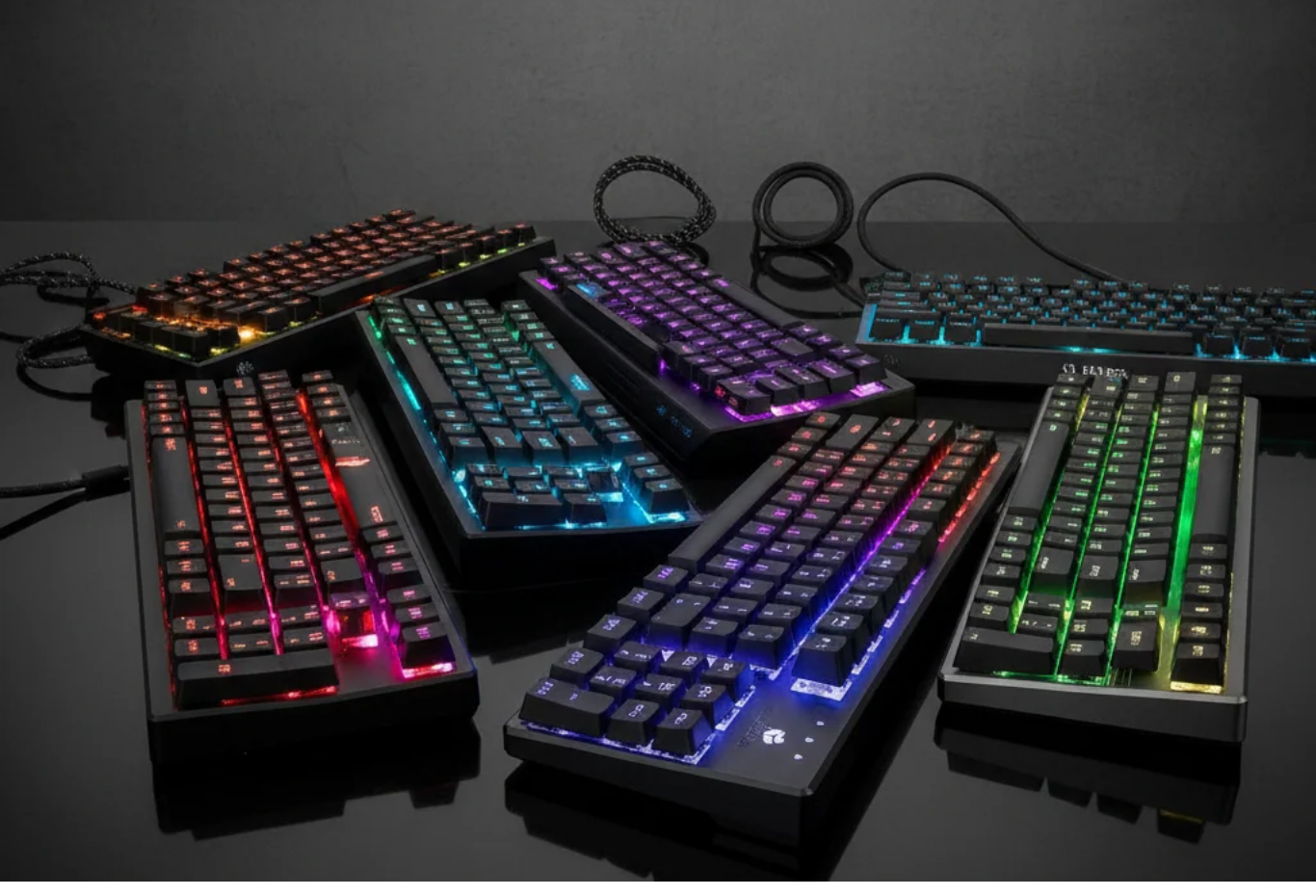
4. Don't Overpay for RGB Lighting
RGB lighting looks attractive, especially in gaming setups, but it does not necessarily improve typing performance.
If you are buying a mechanical keyboard on a limited budget, consider whether lighting is actually important to you.
Some inexpensive keyboards offer single-color backlighting or basic RGB effects. Others provide sophisticated per-key RGB customization.
If your priority is typing quality, you may get better value by choosing a keyboard with good switches and construction rather than spending extra money on advanced lighting.
RGB can be a useful bonus, but it should not be the main reason you choose a keyboard.
5. Look for Hot-Swappable Switches
A hot-swappable keyboard allows you to replace switches without soldering.
This feature can be particularly valuable for budget-conscious buyers because it gives you the ability to upgrade your keyboard later instead of purchasing an entirely new one.
For example, you could initially use the switches included with the keyboard and experiment with different switches later when your budget allows.
Hot-swappable sockets also make switch replacement easier if a switch eventually stops working.
If you are interested in keyboard customization, choosing an affordable hot-swappable mechanical keyboard can be an excellent long-term investment.
6. Consider Wired vs. Wireless
Wired mechanical keyboards are usually a better choice when your primary goal is saving money.
A wired connection provides a simple plug-and-play experience and eliminates the need to charge a battery. It can also reduce the cost of the keyboard.
Wireless keyboards offer greater flexibility and a cleaner desk setup. Some models support both Bluetooth and 2.4 GHz wireless connections, which can be convenient if you frequently switch between devices.
However, wireless connectivity can increase the price.
If you are buying your first mechanical keyboard and have a limited budget, a reliable wired model is often the most sensible option.
7. Pay Attention to Build Quality
A low price does not automatically mean poor quality. Many affordable mechanical keyboards now offer surprisingly solid construction.
When comparing keyboards, look at the materials used for the case, the keycaps, the plate, and the overall construction.
A sturdy keyboard should not flex excessively when you apply normal pressure. The keys should also feel stable rather than loose or excessively rattly.
Reviews and user feedback can help you determine whether a budget keyboard has common quality problems.
Remember that a keyboard does not need an expensive metal case to be good. A well-designed plastic keyboard can provide excellent value.
8. Check the Keycap Material
Keycaps can affect both appearance and long-term durability.
ABS keycaps are common on affordable keyboards. They can feel smooth and develop a shine over time with heavy use.
PBT keycaps are generally more resistant to shine and are often considered more durable. They can also provide a different texture that many users prefer.
If you find an inexpensive keyboard with PBT keycaps, it can be a good value.
However, do not automatically reject a keyboard because it uses ABS keycaps. Keycap quality is only one part of the overall keyboard experience.
9. Read Reviews Before Buying
One of the best ways to avoid wasting money is to read reviews before purchasing.
Do not focus only on the manufacturer's marketing claims. Look for reviews that discuss real-world typing performance, switch quality, stabilizers, build quality, software, connectivity, and long-term reliability.
Video reviews can be particularly useful because they allow you to hear the keyboard and see how the keys behave.
Also pay attention to repeated complaints. One negative review may simply represent an individual experience, but if many buyers report the same problem, it could indicate a genuine issue.
10. Compare Prices Across Multiple Sellers
Never assume that the first price you see is the best price.
Compare the same keyboard across several retailers and marketplaces. Prices can change because of promotions, seasonal sales, clearance deals, or temporary discounts.
You should also check what is included in the package. A keyboard that appears slightly more expensive may include better keycaps, a detachable cable, additional switches, or other accessories.
When comparing prices, consider the total value, not just the sticker price.
11. Consider Refurbished or Open-Box Keyboards
If you want a better keyboard without paying full retail price, refurbished and open-box products may be worth considering.
Open-box keyboards are often products that were returned or removed from their original packaging. Refurbished products may have been inspected or repaired before being resold.
The important thing is to buy from a reputable seller and check the warranty or return policy.
A discounted keyboard with a reliable return policy can sometimes provide much better value than a brand-new premium model.
12. Avoid Paying for Features You Don't Need
One of the biggest mistakes budget shoppers make is buying features rather than buying a keyboard.
You may not need:
- Wireless connectivity
- Premium aluminum construction
- Advanced RGB effects
- Dedicated media controls
- OLED displays
- Extremely expensive switches
- Proprietary software
These features can be useful, but they are not essential for everyone.
Instead, focus on the features that directly affect your experience: comfortable switches, reliable keys, good build quality, a suitable layout, and a dependable connection.
13. Watch for Sales and Seasonal Discounts
Timing your purchase can make a significant difference.
Major shopping events, holiday promotions, clearance sales, and retailer-specific discounts can reduce mechanical keyboard prices.
If your current keyboard still works, consider waiting for a sale instead of buying immediately.
You can also create a shortlist of several keyboards and monitor their prices. This gives you alternatives if your preferred model does not go on sale.
14. Think About Long-Term Value
The cheapest keyboard is not always the most economical choice.
For example, purchasing a very inexpensive keyboard and replacing it after a short period may cost more than buying a slightly better model that lasts for years.
Look for features that improve longevity, such as replaceable keycaps, hot-swappable switches, detachable cables, and a solid construction.
A keyboard that can be repaired or customized may provide better long-term value than a disposable budget model.
Final Thoughts
Learning how to purchase a mechanical keyboard on a budget does not require becoming an expert in every keyboard specification. The key is understanding which features matter to you and avoiding unnecessary upgrades.
Start by setting a realistic budget, choose an appropriate keyboard size, understand the differences between mechanical switches, and compare build quality. Features such as hot-swappable switches can provide additional long-term value, while extras such as RGB lighting and wireless connectivity should only be prioritized if you genuinely want them.
Most importantly, compare prices and read real customer reviews before making a purchase. A little research can help you find an affordable mechanical keyboard that delivers excellent typing performance without stretching your budget.
Whether you are a student, gamer, writer, programmer, or casual computer user, there are plenty of budget mechanical keyboards available. You do not have to spend hundreds of dollars to enjoy the benefits of mechanical typing. With the right approach, you can find a keyboard that feels great, performs reliably, and gives you excellent value for your money.